
Resume Maker Guide
A useful resume is easy to scan and accurate. The template matters less than clear dates, specific work and contact details that actually reach you.
Official tool URL: akprinthub.com/en/service/resume-print
What should a first resume include?
Start with name, phone, professional email, location, short profile, education, relevant skills and experience or projects. Add only details that help the application.
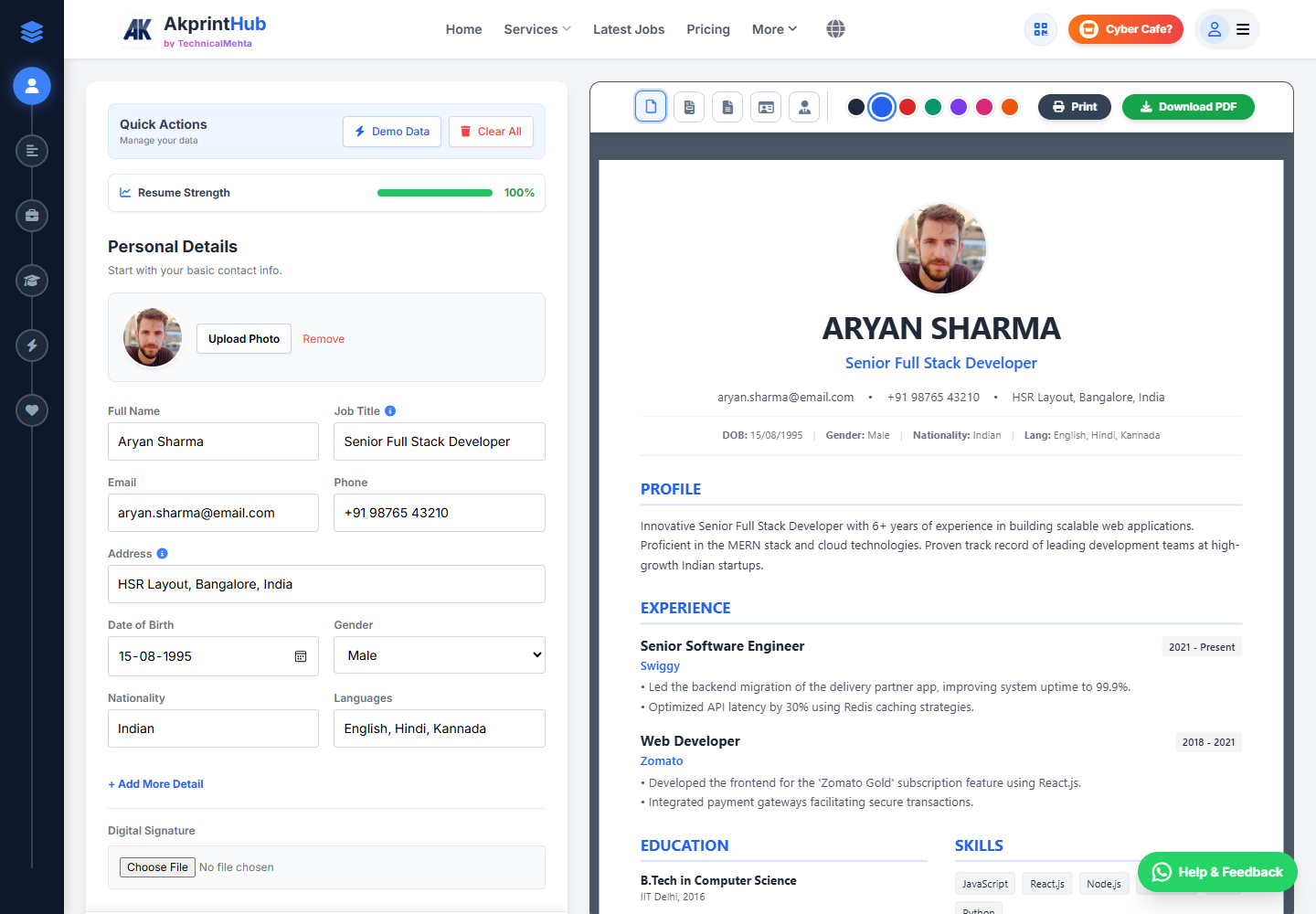
Tool ke screenshots
Actual tool screens aur available demo workflows neeche diye hain. Screenshot par click karke full size mein dekhein. Har caption mein screen ka context diya gaya hai; current interface ya plan details badal sakti hain.
Before you start
Collect your facts in a plain note first. This prevents spelling and date mistakes while you are choosing a layout.
- Correct name, phone, email and current city.
- Education with course, institution and completion year.
- Work, internship, project or apprenticeship details.
- Skills you can explain in an interview.
How to use this tool
Choose a simple template
Select a layout that fits the role and amount of experience. One clean page is usually enough for a fresher.
Enter contact details
Use a phone number you answer and a professional email address. Do not add full Aadhaar, PAN or bank details.
Write evidence, not labels
Instead of only “hard-working”, mention the work completed, tool used or result achieved. Keep each point short.
Arrange sections by relevance
For freshers, education and projects may come first. For experienced applicants, recent work should be easier to find.
Proofread the PDF
Download, open it on phone and desktop, check page breaks and ask one other person to read names, dates and spelling.
Resume ko job ke hisab se useful kaise banayein?
Ek hi generic resume har vacancy mein bhejne ke bajay job description se relevant skills aur experience ko upar rakhein. Profile summary mein “hard-working” jaise generic words ke badle role, experience aur strongest capability ko do ya teen lines mein batayein.
Download se pehle PDF ko phone aur computer dono par kholkar headings, dates, spacing aur page break dekhein. Email, phone aur employment dates ki chhoti galti bhi recruiter ke trust ko affect kar sakti hai.
- Job title ke relevant keywords naturally use karein
- Achievements ko number ya result ke saath likhein
- Final PDF ka selectable text aur file name check karein
Check before download or print
- Phone and email are correct and selectable in the PDF.
- Dates are consistent and newest experience appears first.
- No section heading is left alone at the bottom of a page.
- Filename is professional, for example Sanjeev-Mehta-Resume.pdf.
Common mistakes
- Using the same generic objective for every job.
- Listing skills that cannot be demonstrated.
- Adding sensitive identity numbers or unnecessary family details.
- Sending a PDF without checking its final page count.
Questions users usually ask
Is one page enough for a fresher resume?
Usually yes. Use a second page only when relevant projects, training or experience genuinely need it.
Should I add a photo to my resume?
Add one only when the employer or local convention expects it. For many roles, a photo is unnecessary.
What filename should I use?
Use your name and document type, such as Asha-Sharma-Resume.pdf. Avoid names like final2-new-resume.pdf.
Can I use the same resume for every job?
Keep the facts the same, but adjust the summary, skill order and selected examples to match each role.