
PPT & Company Profile Guide
Company profile ka purpose sirf design nahi; reader ko business, services, proof aur contact logically samjhana hai.
Official tool URL: akprinthub.com/en/service/ppt
Company profile ka useful slide order kya hai?
Cover, business summary, customer problem, services, process, proof/projects, team/capability and contact/next step.
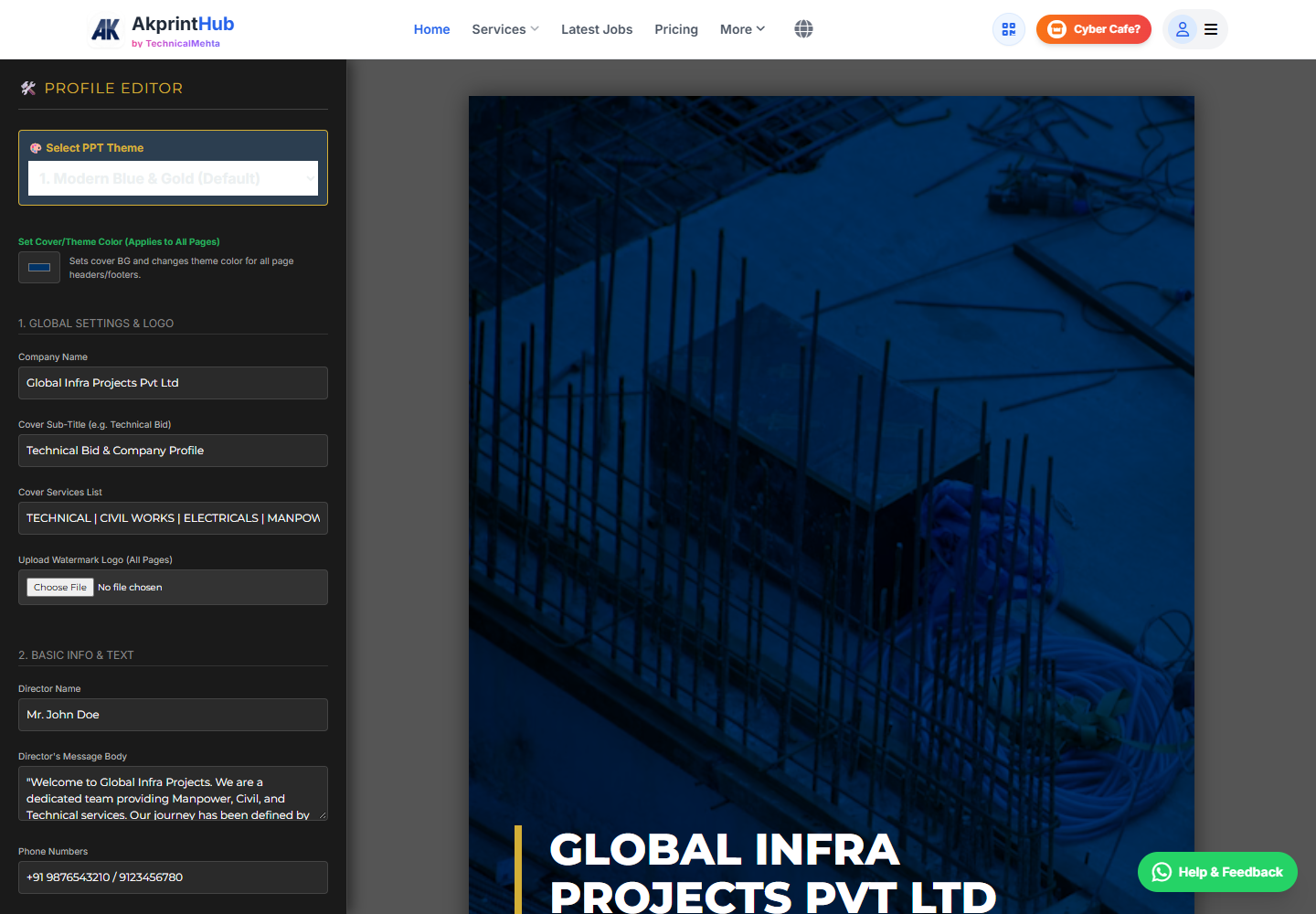
Tool ke screenshots
Actual tool screens aur available demo workflows neeche diye hain. Screenshot par click karke full size mein dekhein. Har caption mein screen ka context diya gaya hai; current interface ya plan details badal sakti hain.
Before you start
Source file ko pehle dekh lena baad ki galti aur rework dono kam karta hai.
- Verified company facts.
- Service list and audience.
- Real photos/projects.
- Brand logo/colours.
How to use this tool
Audience/purpose define karein
Sales, tender or introduction.
Outline banayein
One message per slide.
Proof collect karein
Real numbers/projects only.
Design consistently karein
Same font/grid/colours.
PPT and PDF test karein
Fonts, images and links.
Company profile ki slide story kaise banayein?
Slides ko company introduction, customer problem, services, proof/work examples aur contact action ke order mein rakhein. Har slide par ek main message ho; paragraph ko presentation mein chipkane ke bajay short points aur relevant evidence use karein.
Final file ko slideshow mode mein dekhein aur PDF export bhi test karein. Font substitution, clipped text aur low-resolution logo export ke samay zyada visible hote hain.
- One message per slide
- Real services and verifiable proof
- Slideshow plus PDF export check
Check before download or print
- Facts current.
- No fake testimonials.
- Slides readable.
- Contact links work.
Common mistakes
- Paragraph-heavy slides.
- Generic stock claims.
- Different styles every slide.
- PDF export without review.
Questions users usually ask
Kitni slides?
Purpose par depend; concise profile often 8–15 focused slides.
PPT ya PDF share karein?
Present/edit ke liye PPT; stable viewing ke liye PDF.
Client logos use?
Permission and correct current relationship confirm karein.