
A4 Photo Print & Remembrance Portrait Guide
Ek original photo se A4 print banayein. Optional remembrance design ke liye background remove karke halo, rays ya rings set kar sakte hain.
Official tool URL: akprinthub.com/en/service/a4-photo-print
Ek photo ko A4 page par kaise fit karein?
Photo upload karein, Portrait/Landscape aur Fill/Whole photo choose karein, margin set karke PDF ya JPG save karein. Optional halo, rays aur rings background removal ke baad subject ke peeche lag sakte hain.
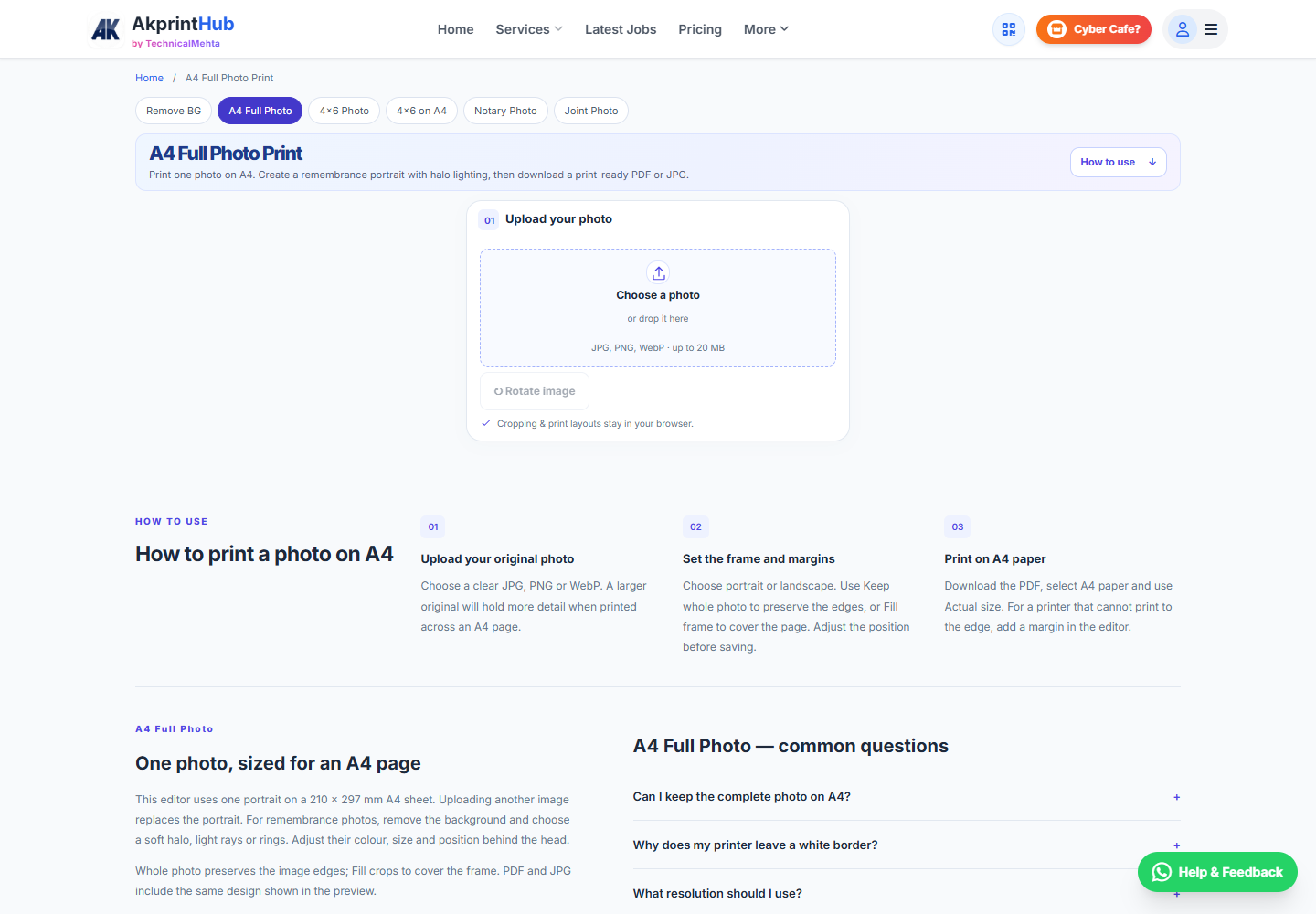
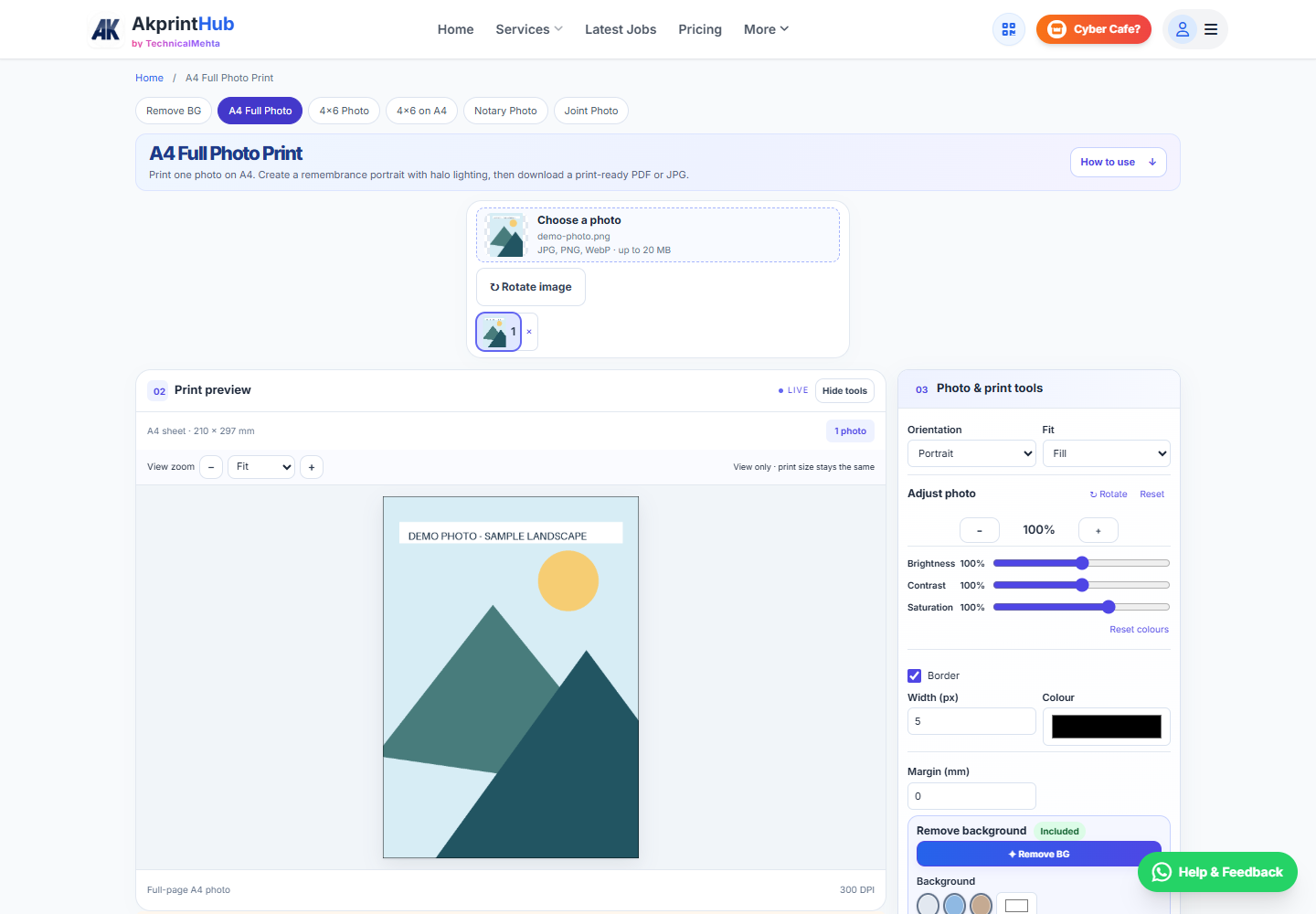
Tool ke screenshots
Actual tool screens aur available demo workflows neeche diye hain. Screenshot par click karke full size mein dekhein. Har caption mein screen ka context diya gaya hai; current interface ya plan details badal sakti hain.
Before you start
Source file ko pehle dekh lena baad ki galti aur rework dono kam karta hai.
- High-resolution original use karein.
- Portrait/landscape decide karein.
- Printer borderless support check karein.
- A4 paper loaded ho.
How to use this tool
Ek original photo upload karein
Choose a photo se JPG, PNG ya WebP select karein. Doosri photo upload karne par current A4 portrait replace hota hai.
Page aur crop choose karein
Orientation mein Portrait/Landscape aur Fit mein Fill/Whole photo choose karein. Fill edges crop karta hai; Whole photo complete image rakhta hai.
Photo aur border adjust karein
Position/zoom, brightness, contrast aur saturation preview mein check karein. Border ka colour/width aur Margin millimetres mein set karein.
Optional halo portrait banayein
Remove BG ke baad Halo / light section se Soft circle, Light rays ya Halo rings choose karein. Colour, size, left/right aur up/down position se light head ke peeche rakhein. Skin retouch optional hai.
Preview aur output check karein
View zoom sirf inspection ke liye hai. Low-resolution warning aaye to larger original use karein. PDF/JPG download karein ya Print se A4 aur Actual size select karein.
Remembrance portrait ke lighting controls
Background remove karne ke baad soft halo, rays ya rings subject ke peeche place karein. Glow ko face aur important details par overpower na hone dein.
Ek photo A4 sheet par use hoti hai; multiple small photo copies ke liye 4×6 on A4 ya Notary Photo mode choose karein.
Check before download or print
- Whole photo ya Fill intended crop ke hisaab se hai.
- Border, margin aur halo subject ko cover nahi karte.
- A4 orientation aur printer paper match karte hain.
- Printed result 100% / Actual size par check kiya hai.
Common mistakes
- Small WhatsApp image ko full A4 enlarge karna.
- Borderless support assume karna.
- Fill crop mein face cut karna.
- Wrong paper size select karna.
Questions users usually ask
A4 image ka output kitna bada hai?
Portrait A4 210×297 mm hai. 300 DPI export 2480×3508 pixels hota hai; landscape mein dimensions reverse hote hain.
Puri photo preserve kaise karein?
Whole photo choose karein. Source ratio alag ho to background space rahegi.
Halo kahan lagta hai?
Background removal ke baad light subject ke peeche dikhti hai. Size aur position se glow ko head ke peeche align karein.
White border kyun aata hai?
Printer non-printable edges chhod sakta hai. Borderless support check karein ya suitable margin rakhein.